
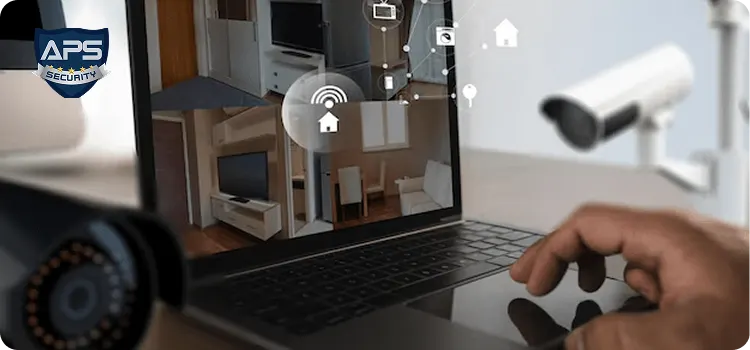
Choosing the perfect security camera system for home can feel overwhelming, especially when you’re comparing dozens of home security cameras, features, and brands. Whether you’re a homeowner securing your first property or upgrading your existing house camera system, the right choice will protect your family, valuables, and peace of mind. In this guide, I’ll break down everything you need to know—from camera types to installation—so you, as a buyer, can confidently choose the best security cameras for home without confusion.
Why You Need a Security Camera System for Home
Before choosing a home CCTV system, it’s essential to understand why they matter. Criminal activities like theft, trespassing, and vandalism often occur when homeowners are away. A reliable home surveillance camera setup not only records events but also deters criminals. Many burglars avoid properties equipped with CCTV security cameras, knowing they’ll be easily identified.
Today’s best security cameras offer HD video, night vision, mobile notifications, cloud storage, and AI motion detection—tools that help you respond instantly. Whether you use these cameras personally or rely on professional monitoring, the right setup gives you total control over your home’s security.
1. Identify Your Home’s Security Needs
Start by evaluating what you need from your security camera system for home. Every person’s setup will be different.
Key questions to ask yourself:
- Do I need indoor, outdoor, or both types of home security cameras?
- Should I cover entry points only, or do I need full perimeter protection?
- How large is my property and how many cameras will be enough?
- Do I prefer wired or wireless home CCTV systems?
This first step ensures you don’t overspend or buy features that don’t add value to your specific security goals.
2. Choose Between Wired vs. Wireless Home CCTV Systems
When selecting the best security cameras for home, knowing the difference between wired and wireless options is crucial.
Wired Security Camera Systems
- More stable connection
- Ideal for large homes
- Better long-term reliability
- Requires professional installation
Wireless Home Surveillance Cameras
- Easy to install
- Portable and flexible
- Connect to Wi-Fi
- Suitable for small to medium homes
Both options can be part of the best security cameras lineup—it depends on what works best for you.
3. Understand Camera Types Before Buying
A strong house camera system includes different camera types with unique benefits.
a. Bullet Cameras
Perfect for driveways and front gates due to their long-range visibility.
b. Dome Cameras
Best for wide-angle coverage and indoor monitoring.
c. PTZ Cameras (Pan-Tilt-Zoom)
Great for large properties requiring flexible viewing angles.
d. Doorbell Cameras
Ideal for monitoring deliveries and visitors.
e. Floodlight Cameras
Combines lighting + surveillance for enhanced nighttime security.
Mixing these types ensures your security camera system for home covers every corner effectively.
4. Prioritize Video Quality and Night Vision
When comparing the best security cameras, resolution is everything.
Choose at least 1080p HD, though 2K or 4K quality gives clearer facial recognition and plate reading.
Night Vision Features to Consider:
- Infrared LEDs
- Color night vision
- Low-light sensors
These features improve how well your home surveillance cameras record in the dark—when most incidents occur.
5. Check Motion Detection and Smart Alerts
Today’s home security cameras use advanced motion sensors and AI analysis to distinguish between humans, animals, vehicles, and irrelevant movement like flying insects.
Look for features like:
- Person detection
- Vehicle detection
- Package detection
- Customizable motion zones
- Instant mobile notifications
Smart alerts help you act quickly, making your home CCTV system more proactive than ever.
6. Decide Between Local Storage and Cloud Storage
Storage is one of the most essential elements of a good house camera system.
Local Storage:
- SD cards or NVR (Network Video Recorder)
- No monthly subscription
- More control over the footage
Cloud Storage:
- Remote access anytime
- Auto backups
- Requires internet
- Usually subscription-based
Choose the option that matches your budget and how you want your footage managed.
7. Evaluate Smart Home Compatibility
A modern security camera system for home should work with your smart ecosystem—Google Home, Alexa, Apple HomeKit, or Samsung SmartThings.
Benefits include:
- Voice commands
- Smart routines
- Integration with lights, locks, alarms
If you’re using AI chatbots or smart devices frequently, this compatibility enhances your overall security experience.
8. Weather Resistance for Outdoor Cameras
Outdoor home surveillance cameras must survive harsh weather—rain, heat, dust, and snow.
Look for:
- IP65/IP66/IP67 rating
- Corrosion-resistant materials
- Durable housing
Never install indoor cameras outside; it reduces lifespan and low-light quality.
9. Compare Installation Methods and Difficulty
Some homeowners prefer DIY installation, while others choose professionals like APS Security (mentioned once as required).
DIY-Friendly Cameras:
- Wireless options
- Magnetic mounts
- Plug-and-play systems
Professional Installation Recommended For:
- Wired systems
- Multi-camera setups
- Exterior wall drilling
- Large property coverage
Choosing a system that matches your installation comfort level ensures a smoother and quicker setup experience.
10. Set a Realistic Budget
The cost of a security camera system for home varies based on features, number of cameras, and storage.
Basic Starter System
₹5,000–₹10,000
Good for small apartments or single-entry monitoring.
Mid-Range System
₹15,000–₹35,000
Ideal for most homes; includes multiple cameras and smart features.
Advanced Home CCTV System
₹40,000–₹1,00,000+
High-resolution, AI alerts, wide coverage, and long-term durability.
Long-term security shouldn’t be based on the cheapest option—focus on value, not just cost.
11. Check Reliability, Warranty, and Customer Support
A good security camera system for home lasts years, not months.
Check for:
- Warranty (1–3 years minimum)
- Customer support availability
- User reviews
- Replacement policies
Reliable after-sales support ensures your home security cameras stay functional without hassle.
12. Optimize Your Camera Placement Strategy
Even the best security cameras for home can fail if not placed correctly.
Best Places to Install Cameras:
- Front door (most important)
- Backyard or garden
- Windows not facing streets
- Garage and driveway
- Hallways or staircases
- Common areas indoors
Avoid placing cameras in private areas like bedrooms or bathrooms.
FAQs
1. What is the most important feature in a security camera system for home?
High-quality video recording (1080p or higher) combined with night vision and motion detection are essential features for effective monitoring.
2. Are wireless home security cameras reliable?
Yes. Modern wireless cameras offer strong Wi-Fi connectivity, smart alerts, and high-definition video. They are ideal for easy installation and flexibility.
3. How many cameras do I need for a house camera system?
Most medium-sized homes need 3–6 cameras to cover all entry points, hallways, and outdoor areas.
4. Which is better: cloud storage or local storage?
Cloud storage offers convenience and remote access, while local storage offers full control with no subscription. Choose based on your preference.
5. Do I need professional installation for home CCTV systems?
Wired systems and multi-camera setups benefit from professional installation. Wireless systems are usually DIY-friendly.
Conclusion
Choosing the right security camera system for home comes down to understanding your security needs, comparing key features, and selecting reliable home security cameras that offer strong coverage and smart protection. With the right mix of quality, placement, and technology, you can confidently secure your home using the best security cameras for home, ensuring safety, convenience, and lasting peace of mind.